Here is what you need to do:
Please write me to say that you are starting to make the translation of the His Hands Reader lexicon to your native tongue. BobAchgill at hotmail
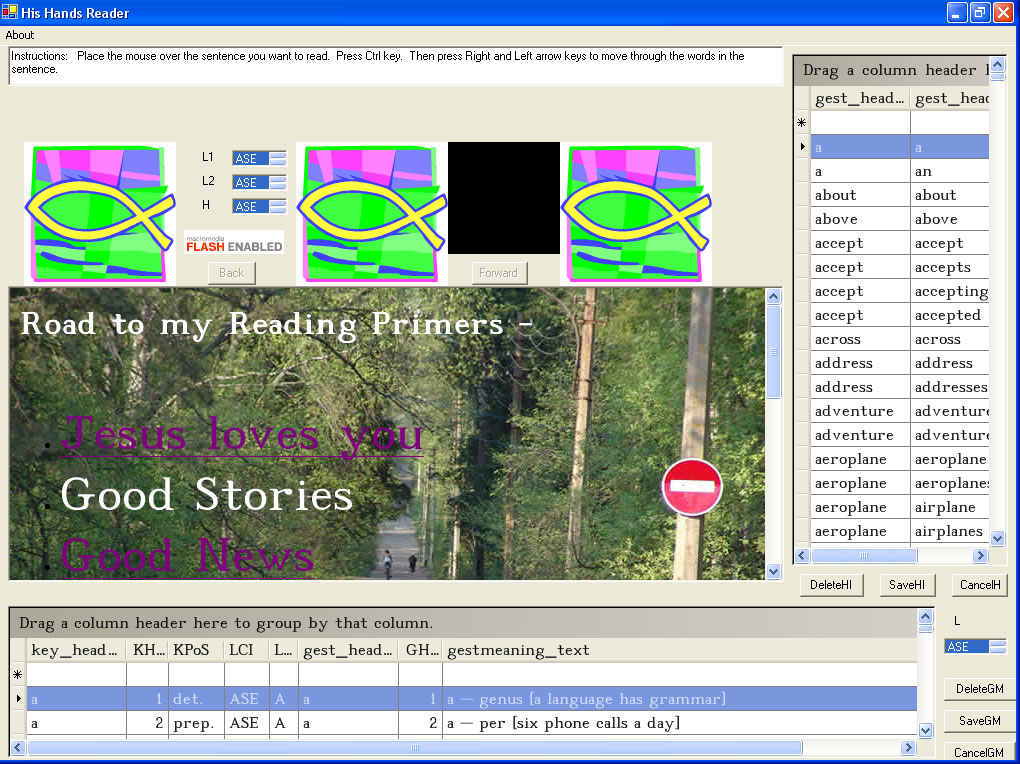
Download and install the HisHandsReader program.
Maximize the program window so you can see the English lexicon data fields.
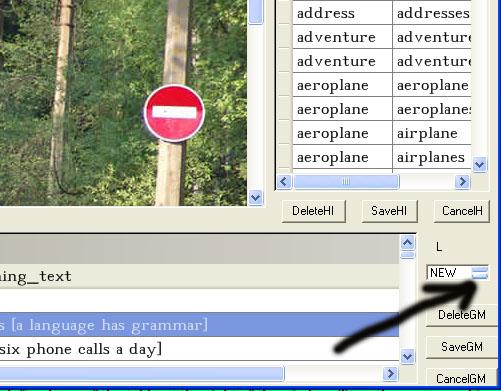
Change the lexicon selector to NEW to add a new lexicon... or RSL to update the Russian lexicon or CHN to update the Chinese lexicon.
Choose the best simple word in your native tongue that expresses the meaning and type that word in the gest_headword column. (See bottom table) Press the SaveGM button. For Example - accept
For Example -
accept - accept
accept - accepts
accept - accepted
Note -
If the word is used more than one time in the meanings table (table at the bottom)... you only have to type that "root" word and its variations in once in the variations table (table at the right).
For example:
boat_man
boat-man
день_рождения - Birthday (in Russian)
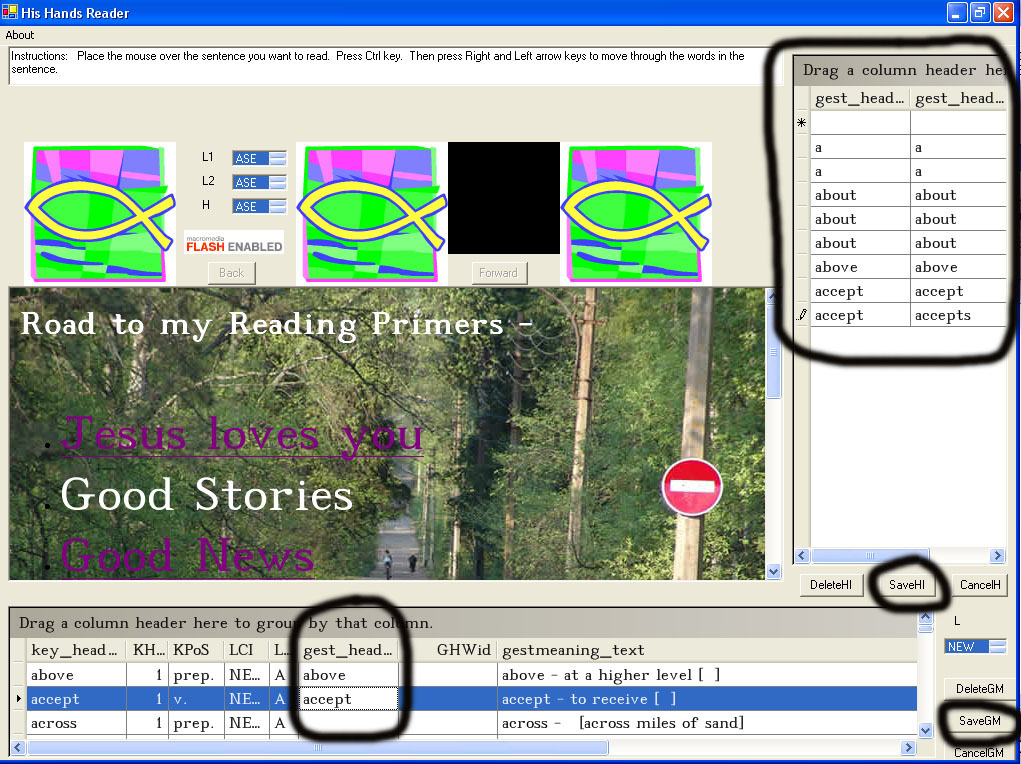
Make the table at the bottom of the window larger to see more rows. This example shows editing Hebrew text.
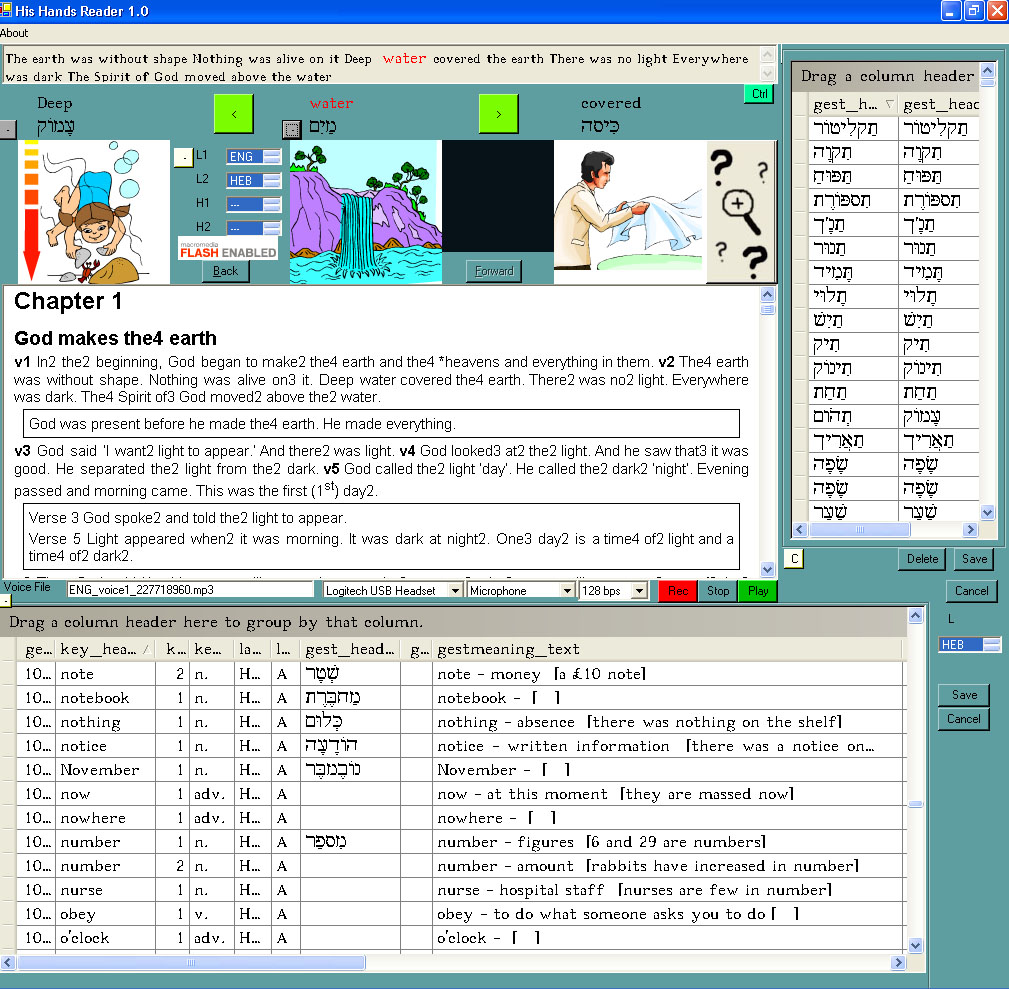
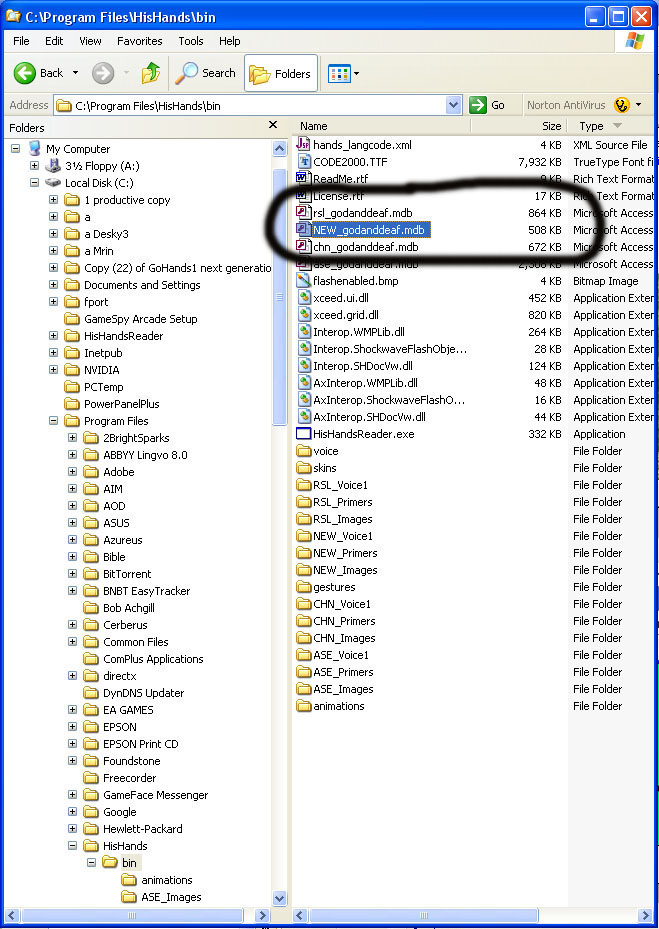
Send me the NEW_godanddeaf.mdb file after you have completed the loading of the text. Send to BobAchgill@hotmail.com
*** If you updated the Russian lexicon send me the file RSL_godanddeaf.mdb.
*** If you updated the Chinese lexicon send me the file CHN_godanddeaf.mdb.
I will include it in the distribution of His Hands Reader so everyone else in the world can benefit from your work. :o)